Loading...
Loading...
Loading...
Loading...
Loading...
Loading...
Loading...
Loading...
Loading...
Loading...
Loading...
Loading...
Loading...
Loading...
Loading...
Loading...
Loading...
Loading...
Loading...
Loading...
Loading...
Loading...
Loading...
Loading...
Loading...
Loading...
Loading...
Loading...
Loading...
Loading...
Loading...
Loading...
Loading...
Loading...
Loading...
Loading...
Loading...
Loading...
Loading...
Loading...
Loading...
Loading...
Loading...
Loading...
Loading...
Loading...
Loading...
Loading...
Loading...
Loading...
Loading...
Loading...
Loading...
Loading...
Loading...
Loading...
Loading...
Loading...
Loading...
Loading...
Loading...
Loading...
Loading...
Loading...
Loading...
Loading...
Loading...
Loading...
Loading...
Loading...
Loading...
Loading...
Loading...
This is where you'll find a plethora of information about TEDxIndianaUniversity, promoting not only generational knowledge but also ideas worth spreading!
Visit other pages using the sidebar to the left and click the arrow to see subpages.
Using the search bar, enter the name of a page or ask a question like, "How do I host a salon?"
To contribute to our wiki, you'll need to be a part of TEDxIndianaUniversity and sign in to our GitBook account. At this time, we do not accept public contributions to our wiki... but maybe this will be something for the future!
Want to get involved with TEDxIndianaUniversity? We'd love to have you! Do you know there are several different ways to get involved?
At the beginning of every academic year, we open applications to join our team! Learn more about the application process on our website:
If you're a part of a company or organization, you can support ideas worth spreading while reaching out to the hundreds of TEDx-talk lovers right here in Bloomington and thousands of students on the Indiana University campus. Spread your brand while doing some good! Get started today on our website:
Help keep TEDx Talks alive in Bloomington! Your contribution helps support an entirely non-profit, 100% student-run organization that entirely depends on the generosity and support of the community. Donate today by visiting our website at:
Looking to share an idea worth spreading? Check out how you can apply to give your very own TEDx Talk on our website at:
⚡ Team Resources
🧙 Member Resources

Yay, so you've been invited to join our team of curators. What's next?
Decide a date and time for the event. Be sure it's 3+ weeks out from now.
Request a location for your event: Room Reservations
Need guidance? Have questions? Message Ops by . Be sure to @Operations Team.
Determine what supplies you need for the event. There's even free campus services for some items. If we need to order items, share the items and links with Finance by . Be sure to @Finance Team.
In order to buy items, Finance must request the P-Card 1.5 weeks before the purchase date. This means you'll likely need to make the request 2-3 weeks before the event.
Request graphics from Marketing & Design . Be sure to @Marketing + Design Team.
Include date, time, location, description of the event, and what visuals/aesthetic/vibe you want from the graphics. Do this at least 2 weeks in advance.
Work with Marketing to determine when this event will appear on Instagram, Facebook, Bluesky, X (formerly Twitter), etc.
Request a BeInvolved update, website update, and ticketing link from Technical Production . Be sure to @Production Team.
Include date, time, location, and a description of the event. Consider that Production will need Marketing's graphics for BeInvolved/the website.... and Marketing will need Production's ticketing link. Work in advance on this one, too.
Inform Technical Production of any audio, presentation, video recording, live streaming, or stage design needs for your event.
Work with Technical Production if you'd like an email blast to our emailing list
Tell Membership and Engagement to promote your event at tabling and installations by posting in the and , respectively. Be sure to @mention each of them.
We all know how important public transport is in Bloomington! Both IU buses and Bloomington Transit busses allow for marketing outside and inside the bus... for a relatively reasonable price.
One can advertise using indoor card ads ("Rail Signs") for 2 months on all bus routes(!) for a relatively reasonable price. Additionally, for outdoor ads, Curb-side Queen, Street-side Queen, Street-side King, and Full Wrap are available.
Visit the IU Bus Advertising webpage for more information on how to get started.
Advertising is available for King Panels, Queen Panels, King Panels, Tail Panels, Full Wraps, Interior Car Cards, and Aisle Ceilings.
Visit the for more information about how to get started.
In the past we've printed the pamphlets using the printer Mr. Copy on 10th street with the following specifications, assuming you export the file . You can submit an order to [email protected]. Using these specifications, you can expect to pay about $1115.
400 booklets
Full bleed
32# stock
12 page booklet
When exporting the file, you'll want bleed and other print-quality requirements.
Visit our User Interface Guidelines here:
To access different TEDxIndianaUniversity accounts and websites, you'll either need to...
Log in using our ,
Join using your IU account for some services like Teams and 💜
What is Curation?
The best team in TEDxIU! Hehe
Jokes aside, curation is a team where you can decide who speaks at our event! You’ll get to:
Talk to so many people
Develop a one-on-one connection with your speaker
Aid them with talk development
Making a model is the last phase of stage design. You can either do this physically or digitally. Physical models are great for understanding spacing in addition to not needing to learn any software. That being said, because they're small and hand-done, they are more time-intensive than digital models, which can also be more details. I (Reece) personally use hand sketching and digital modelling; however, do whatever is best for your team. If someone prefers physical models, great!
So now you understand what a TEDx Talk is. And we've also just revealed the theme for this year's conference! Now it's time to interpret it.
What's a theme? abstract, open-to-interpretation title/tagline
Getting Started:
Think about the theme for a while
Write down anything that comes into your head, which can be words, sentences, stories, anything!
I recognize that copy-pasting from the subpages below can leave the format a little wonky. I'll have the subpages still up for reference, but please copy and paste from to maintain formatting!
Assist them on conference day
If you’re struggling, look up the word – articles, images, videos, news?
What emotion, visuals, words, messages, stories, is the theme screaming to you?
Writing a Theme Interpretation: Open any word processor and write away! There is no format, please feel free to write away literally anything, explaining how you interpret this year’s theme and why you interpret it in such a way, with visuals to support your interpretation (Anywhere from 400-800 words)
Send your complete theme interpretations to [email protected] the night before Onboarding #2 and be prepared to discuss your interpretations with the team!
ClipChamp Online Video Editor: https://www.microsoft365.com/launch/Clipchamp
Adobe Express: https://new.express.adobe.com/
Adobe Online Captions: https://new.express.adobe.com/tools/caption-video
Figma: (Invite Link): https://kb.tedxiu.com/i/passwords/invite-links
Canva (Invite Link): https://kb.tedxiu.com/i/passwords/invite-links
Adobe Photoshop/Illustrator Desktop: https://uits.iu.edu/adobe/
Can be updated. Please check back regularly!
Here's what to expect as a TEDxIndianaUniversity curator 😄
Weekly individual calls (5-10 mins)
Biweekly team meetings (~1 hour)
Phase 1: Onboarding | 2 onboarding meetings in October with mini assignments
Phase 2: Outreach | 15 speakers a week for three weeks + 5 speakers for onboarding week = 50 speakers each
Phase 3: Pre-conference | Meet with your speaker biweekly for deliverables including 2 drafts, 1 final, and visuals and important packets
Phase 4: Conference | Assist your speaker and enjoy the show! 😀
We made an effort this year to reach out to local businesses
Because of our incredibly pressed timeline, this wasn’t sent out early enough.
I think we gave them 1.5 weeks to say yes/no, and the conference was 3 weeks after that
Definitely give yourself 6-8 weeks in advance! (think late December/early January)
See the “Work Distribution” section in the “Team Considerations” page for further information
We didn’t have any during the 2023-2024 year :(
I reached out to corporate sponsors, such as Adobe, but I looked for campus ambassadors and reached out to them, so I didn’t document that at all
I think Adobe would be SUCH a cool sponsor, and their mission aligns quite well with ours
It didn’t pan out this year, but maybe you’ll have the chance to this year!
Note: we’ve never done this in the past, so if nothing happens, you didn’t let anyone down/disappoint anybody. You have absolutely no precedent to match
Join one of our "team" accounts using an 🔗 Invite Link
For some accounts, you will also need a 2️⃣ Two-Factor Authentication Code.
The embed below starts at video 1; however, I recommend you start at video 8: "Challege 1: Set up your first section with Wix Studio." You can change which video you're on using the playlist icon in the upper righthand corner. Continue watching through video 16... or until the end of the playlist if you have time.
SketchUp Free
About Physical Models
Don't see something here you need? Check out the TED guidelines.
At a Salon, attendees watch TED Talks, sometimes host a few speakers (though it’s not required) and have informal discussions about the talks they witnessed. Salons re-engage your community and team during the time between your main TEDx events, and spark discussion on issues of interest to your local community.
What is expected of you at a Salon? .... possibly by more questions. The goal is that you should be able to answer most of them.
You should also be sure to follow during whatever event you may hosting.
The discussion: A critical element of salon is lively discussions relevant to the community, allowing attendees to actively participate in the event. With much smaller audiences than a standard TEDx event, salons bring attendees together in more intimate spaces, and with more chances to get know and exchange ideas as with each other.
The single subject: Having the ability to focus on only one subject creates focused audience and atmosphere.
The choice of format: Salon events range anywhere from dinner party settings to mini standard TEDx events, and anything in between. It’s up to organizers to decide what size and format is best for their community.
Projection mapping is an amazing way to make a stage (or any venue) more interesting! You can "map" a video onto an object or even change the shape of your screen. At the BCT, we use their movie projector that fills the proscenium, allowing us to map anywhere on stage!
Good project mapping software can cost some money. Personally, I (Reece) like using , which costs a bit under $50 for 1 month of use. That being said, they have an educational discount, which would get you 30% off.
This is a video involving a small object; however, you can easily do all of these things on a stage!
Our Internal Knowledge Base and some other services might require you to log in with your Indiana University Microsoft 365 Account (Microsoft Entra ID). If you run into issues, this is a good place to start!
This error means that only members of the TEDxIndianaUniversity group in Entra ID have access to this resource. This means that either:
You're not a member of TEDxIndiana University (and won't receive access, sorry!)
You're a member but aren't a part of our Microsoft Teams group. If this is you, please contact the Director of Technical Production to resolve the issue.
Please contact the Director of Technical Production to resolve the issue with the error and what you are attempting to do.
If it is after July 2026, please contact the Director of Technical Production, telling them to "Update GitBook with a new Microsoft Azure Entra ID client secret for the application called TEDxAccess." Then send them a link to this article.
If you're on Technical Production and are attempting to update the client secret for , you can visit for more information. (Broken link? .) Once you complete this process, update the dates in this support document to reflect the new client secret expiration date.
Tripods, cameras, lighting, tools: https://iub.libcal.com/reserve/equipment/makerspace
Chalk, tabling supplies, crafts:
Field microphones:
Make sure to CC [email protected]!
Subject: Follow-Up on TEDxIndianaUniversity Speaker Opportunity
Dear [Speaker's Name],
Thank you again for taking the time to speak with me! I really enjoyed learning about your experiences and ideas regarding [what they talked about]. As we’re in the process of meeting with a number of potential speakers, we’re still exploring who might be the best fit for this year’s conference.
We will continue to assess how the different talks could come together for the overall theme, and I will definitely keep your ideas in mind as we move forward. I’ll be in touch with more details as our planning progresses over the coming weeks.
In the meantime, if you have any further thoughts or questions, don’t hesitate to reach out. Thank you again for sharing your time and story with us!
Best,
[Your Name]
Curator
TEDxIndianaUniversity
Luddy School of Information, Computation, and Engineering
Indiana University, Bloomington
|
Make sure to CC [email protected]!
Subject: Potential Opportunity to Speak at TEDxIndianaUniversity (feel free to modify subject line, just run it through me first!)
Dear _____,
My name is _____ -- I am a curator at TEDxIndianaUniversity. I am reaching out to explore an exciting opportunity for you to give a TEDx Talk. Each year, TEDxIndianaUniversity brings together over 50,000 students and members of the Bloomington community to share ideas worth spreading.
On February 21st, 2025, we will host six speakers and 700 attendees at the historic Buskirk Chumley theater for a night of exploration and learning. This year, our theme is Tipping Point.
With your experience in ______ and unique perspective ______ we believe you would be a wonderful addition to the lineup. As a TEDx organization we cover all travel, lodging, and dining expenses to ensure you have a great experience at Indiana University.
We would like to arrange a time to get to know you more and speak regarding potential fit. We can take this time to answer any questions you may have as well. We look forward to hearing from you!
Best,
[Your Name]
Curator
TEDxIndianaUniversity
Luddy School of Information, Computation, and Engineering
Indiana University, Bloomington
|
TED gives out grants/funding too I think
I didn’t look into this at all this year, but Amanda was saying something about it
An opportunity that comes every 2 years
We received this 2 years ago when Lucy was Director
It wasn’t available for me to apply for in time for conference this year
Maybe something you can investigate in the fall
I think they discontinued this because I could find nothing on it
They used to give us $500, but I suspect they were usurped by RHA
Something you could investigate as well
Suki (past president) was interested in this line of thinking
She wanted to diversify funding sources, in case IU can't give out as much some years
Essentially, there are probably general grants/scholarships/etc. out there that we could apply to
The only thing I would caution is that Luddy and IU and TED have guidelines about how we can receive money
You've sat through calls and calls, and now you think you've found your speaker!
Awesome! I (and the rest of exec) are super excited to hear about your speaker. Before we can finalize on your speaker, you will have to fill out this speaker pitch document. Be as comprehensive as you can -- thoughts, assumptions, helpful links/videos/documents, reservations.
Congratulations, we are so excited for you to get started with talk development. Before that, send them an official invitation email using
The Director of Curation will handle official communications following this approval, including the delivery of speaker info packet, logistics forms, content agreement forms, pre-conference brief documents, etc. Your Director will CC you on all official emails as well.
However, once these forms have been sent out to your speaker, it is your responsibility to ensure that you're following up on them to ensure that they send all packets back to us by December 15, 11:59 PM.
Don't worry. We have a buffer period so that you can either look for another speaker or for you to get to know another amazing speaker that your curator friends have found. Continue the outreach process until you find your speaker and once you've found them, pitch them to us again!
What development software do we use? What are our policies?
We utilise Wix Studio, which allows us to create a full stack website while still allowing updates of the site to be made by people unfamiliar with web development. It's hard to strike a balance between these two. After all, as a student organisation, it's hard to guarentee that you'll have several web developers on staff. However, if you know web development, you can achieve a level of design and implementation that frameworks and website builders can only hope to reach. Wix Studio is somewhere in the middle of these two: requiring that you think responsively while still allowing for a drag-and-drop experience for simple and complex elements alike.
Front end work is extremely important to TEDxIndianaUniversity. For a number of years, we utilised (practically) a static website, and this worked fine, because all we required was text and images. Consistent with Ideas Worth Spreading, we want an inspiring experience for our users, which leads to much thought about user experience and web design. When considering front end, we oft (and should always) design utilising iterative design fundamentals. Consider the following
That being said, it can be helpful to have some back-end functionality on our site. This is less common work, and we have to be very careful that any back-end work that we do is transferable to the next generation of leaders. As such, it's our responsibility as student developers to consider whether our implementation would make things easier or harder for future developers. Some features may make things a lot easier (e.g. the use of Wix CMS), so long as it is well documented here. As such, when you consider doing back end at TEDxIndianaUniversity, always ask yourself these questions:
Does this code really make anyone's lives easier?
Can this code survive after I've graduated?
Is the friction of learning/understanding how to use this code easier than doing everything manually?
Am I willing to document what is done, how it works, and how it is utilised?
Both from an ethical standpoint and a compliance/policy standpoint, we are obliged to ensure that we handle data in an appropriate manner. The way in which we handle data — including where it's stored, how it's stored, whom it's shared with, and how long it's retained — depends on the data type, as listed below. In the following sections, PII refers to Personally Identifiable Information, such as emails, names, addresses, etc.
As part of Phase 2, you will be reaching out a minimum of 15 speakers* each week. This will take place from mid-October to mid-November.
What it will look like:
Research potential speakers. Check what's happening in our community, explore what's interesting to you, look for ideas worth spreading.
Every time you find a speaker, send them an email/LinkedIn message/any other professional medium with (remember, you don't have to think they'd be perfect to give a TEDx Talk -- you are simply exploring and getting to know them before you actually select a speaker).
Rather than wasting a lot of time coding, recoding, and then recoding a site with every design change that needs to happen, we UX sketch (User Experience Sketch) sites quickly and get ideas out on physical paper. We can easily modify our ideas when they're on a sheet of paper, which makes it perfect for the beginning phases of design. So we keep sketching! Over and over! Once we're completely happy with our ideas, only then will we start transferring them to a digital form.
The Director of Finance is the primary person responsible for acquiring the funding necessary to put on the annual conference, support the activities of all the other teams, be the "middleman" between different directors and Karen (our faculty advisor) and the p-card, and create a budget and track expenses.
Make sure to CC [email protected]. These emails are for 2 scenarios: 1) To schedule a call 2) Thank them if they decline invitation.
Our contract with the BCT was estimated to be almost $7,000
I think in the end we paid them almost $5,000
How this works, they have a list of things they provide/do
Make sure to CC [email protected]!
Subject: Follow-up on TEDxIndianaUniversity Speaker Opportunity
Hi [Name],
Thank you so much for taking the time to speak with me about a TEDxIndianaUniversity Talk. I truly enjoyed learning about your experiences and insights on [what you discussed with them].
After careful consideration, we’ve decided not to move forward with an invitation to speak at this year’s conference. That said, I genuinely appreciate the opportunity to learn more about your journey.
Thank you again for your time, and I wish you all the best for your upcoming projects!
Best,
[Your Name]
Curator
TEDxIndianaUniversity
Luddy School of Information, Computation, and Engineering
Think about the theme or topic... What words come to mind? What visuals? What historical periods or cultural elements? What verbs or adjectives? Start in this phase of "just letting your brain steep." After you dump a bunch of words and ideas out onto a paper or whiteboard or document, begin to do some research. Research for stage design can be formal, in the case of historical events, or
I’ll leave all the documents we used in the past for this for you in Teams
I would learn more about what is allowed/not allowed before spending energy on this
To move forward, we’d love to schedule a brief 15–30 minute call to get to know you and discuss your potential fit with TEDxIndianaUniversity. Our theme for this year is "Tipping Point", and we would appreciate it if you could share a few interpretations of this theme that resonate with you. This will help guide our conversation.
During the call, we’ll cover:
The TEDxIndianaUniversity theme and your interpretation
A few guiding questions to understand your background and ideas
Any questions you may have about the event
Our goal for this call is to gain a better understanding of the kind of ideas you can bring to the conference and to determine whether you would be a good speaker fit for TEDxIndianaUniversity. To help you prepare for our conversation, here are a few points to consider:
We aim to bring forward ideas that are relatable, applicable, or of special interest to the Bloomington community.
We’re looking for talks that present new ideas or challenge preconceived ones, leaving the audience with something thought-provoking to take away.
We’re not seeking personal motivational stories, but rather a focus on your ideas, research, or work that could inspire new ways of thinking.
Here are a few sample TED/TEDx talks to help you get a sense of what we’re aiming for:
Would you be available for a call on [suggest two or three dates/times]? If these don’t work, feel free to suggest alternatives.
We look forward to speaking with you and hearing your thoughts!
Best regards, [Your Full Name] Curator TEDxIndianaUniversity
Luddy School of Information, Computation, and Engineering
Indiana University, Bloomington
Each of these list items has an associated cost
The estimates are estimated (obviously), and differ ever so slightly from the actual costs
There are things that are standard and included in every contract (think base charges like just renting the theater, staff, etc.)
There are additional things that are “add-ons” and cost more
This is like the stage extension, how many mics we want, etc.
I’ll be so honest, I let Reece pick out whatever he wanted and told him that we’ll cover all the costs
I have no doubt that the invoice breaks all this down, but I never looked at it in detail
Reece was like “don’t worry, I won't let them charge us for random things we don’t need” and I trust that he did this, but I have no idea what he actually ended up doing vs what was offered by the BCT
We had free student tickets this year, the BCT was okay with this, we just had to let them know in advance
In the past student tickets have been fairly expensive
If you guys decide to do paid student tickets again, choose something between $1-$15 I think
Here's my thoughts on this: I think student tickets being free is cool and there’s an added bonus that IUFB gives us more money. However, people who are on the fence about coming are more likely not to come because they didn’t spend anything on it
I don’t think either route is right/wrong, it’s just something to have a conversation with the board about
Note: they originally had a $4 processing fee. We asked them to remove this so it would be completely free
For all paid tickets
I didn’t actually experience this this year, but Lucy told me when we had paid student tickets, we gave out a good percentage of them for free via student clubs and campus organizations
In reality, these tickets weren’t free, TEDx (aka Karen) purchased them from the BCT in “bulk” and then redistributed them.
Essentially, we lost money on these “free” tickets
Whenever we make money from ticket sales, they adjust our invoice amount before sending it to us
Ex: all costs included we get charged $6,000 but we had $2,000 in ticket sales, the bill we get is $4,000
You can find the email I sent in[VM1]
If you’re ever looking for something related to an email I sent, chances are you’ll find it in the folder 2023-2024 → “Finance Stuff”
Try to send as much stuff as possible from the TED email or cc the TED email to increase transparency
Update your speaker tracker with their information.
Did you hear back? CC me with their response. If they declined invitation, send them a thank you note using this template.
Schedule a call with them using this template and get to know them. Ask them about their life experiences, stories, and what they would want to give a potential talk about.
Write down notes for all calls and deposit them in this Teams folder here. Bullet point notes are fine!
Update speaker tracker with post-call remarks. Did anything stand out?
Repeat for 15 speakers/week.
Post-call:
If you like them and want to keep them in consideration: Remember what stood out for that potential speaker. Write it down somewhere. Send them a post-call email using this template.
If you didn't like them: Don't fret, you didn't waste your time. Send them an email with this template here.
Visit the Student Life Smugmug to find their photos from events like First Thursdays and Student Involvement Fairs, dating back a few years.
Visit the Luddy Bloomington Smugmug to find photos
Tony Vasquez (did TEDxBloomington): https://www.tonyvasquez.net/
Luddy Photographers: https://intranet.luddy.indiana.edu/marcom/index.html
IU Communications Photos Request: https://ucm.iu.edu/internal/visuals-request.html
This document is the source of truth. These are the expectations for your upcoming TEDxIndianaUniversity Salon and the questions you should be asking yourself. Think of these as pieces of gold: little tidbits of knowledge that are essential to getting your Salon right. These are the expectation, not the exception. This means that you should be able to concretely answer these core questions. We believe that every one of you is more than capable of achieving these. This is why you’re a part of TEDxIndianaUniversity. You wouldn't be here if we thought differently.
· You should choose a theme like you're putting on a TEDx conference. Why should a busy, tired person care about your Salon topic, or are they there just for the snacks? (Hint: If they're here for the snacks, you're doing something wrong.)
· Why is this topic essential to be talked about now, by this group of people? People should be demanding to respond and discuss the topic. If it's true Ideas are Everything, what makes them care about this idea over all the others in their life?
· Does your video have gravity? Does it make people want to engage in the conversation? People can watch half-baked Netflix content on their own time. At TEDx, we only want the most inspiring and thought-provoking content.
· What do you want the audience to take from this conversation? If your answer is "a good time" or "they feel inspired," you obviously haven't thought about your theme enough. This should be tangible. Why do they now care about this topic? Why is it imperative for them to care about this? (Hint: Your discussion should be so fulfilling that people think about it in the shower.)
· If you've thought through the above questions well enough before your Salon, you shouldn't have to put too much energy into getting people to talk. If they aren't interested in talking, maybe that means something was done wrong. The discussion should be so strong that it stands alone: you shouldn't even need an activity (though, still do one).
· Does your video actually support this kind of discussion? Is your discussion actually supported by your video? How do the selected talks support the conversation? How do they add to it? How can the audience add to the video's commentary? If you're just realizing that your video doesn't do these, it's time revisit part 1 and re-think that :P
· You should plan to guide the conversation. With any topic that people are salivating to discuss, things will get off topic. You need to recenter it. Your questions should foster conversation without belittling it. Don't ask people, “what do you think.” Ask them what change now needs to happen in their lives… in others’ lives. If you're going to ask a question, the question should have been deeply thought about for a good while... battle tested... making it better than any other question to be asked.
· How are you as a team going to ensure that everyone has a voice? Everyone has Ideas Worth Spreading, but not everyone will be comfortable voicing them in all settings. If someone has an excellent idea worth sharing, how are you going to make sure it's heard? Your Salon may not be a setting someone is naturally comfortable in. What if someone disagrees with the video? Or someone else in the room?
· People should walk down the street, see a poster, and want to go to your Salon. Does your Salon name spark interest? A name should be properly descriptive, accurately representing the content of the Salon without confusion; however, it must also be enough to draw people in.
· When you talk about this Salon with your friends, do you speak with excitement? (Hint: Why should they care if you don’t seem to?)
· This is a ticketed event from an organization that has hundreds of annual attendees. This event should hold up to that rigor.
· People are coming to this event thinking of the TEDx brand. Do you represent TEDx in a positive light? How do you present? Does your appearance and attitude match that of an international non-profit?
· Other teams put in their own time to make this opportunity available to new members. Make them feel like they want to be a part of this project. Why do they want to help you?
· This event goes on our website. Publicly. Forever. (Hint: Is this work what you want posterity to know is your own?)
· Your admittance to TEDxIndianaUniversity relies on your performance, care, and crafting of this Salon. You will remain in the organization not if you merely do the Salon but if you do it well.
· MOST OF ALL: Are you acting like this is as big of a deal as it is? Not just anyone gets into TEDx. Not just anyone has a platform to share ideas. You’re expected to treat this Salon with the same care as a conference.
We’re excited to attend your Salon,
TEDxIndianaUniversity Executive Board
WOO-HOO! We're now at our most important phase in the entire curation process, where you work with your speaker one-on-one to develop their talk!
Once you have confirmed the speaker and gotten Exec approval, start meeting with them biweekly and get started on Draft 1 early on! With the curation knowledge from the TEDx book, walk with your speaker to develop their final throughline and outline the talk together. For draft 1, take a more hands-off approach after developing the throughline and outline. See what the speaker comes up with! (Provided they have referred and read through the Speaker Guide (link TBD).
January 6: (need to confirm with Ops. Ignore this point for now) Your speaker will get confirmations regarding their flights and hotel bookings. This will be communicated to the speaker via the TEDxIU email -- meaning, you don't have to worry about this bit. If they ask, at any point in time after speaker selection regarding these logistics, tell them they will know by Jan 6.
January 6: Email your speaker with this visual guide (link TBD); this is to help them prepare the slide deck that gets presented on-screen while they give their talk during the conference.
January 11: First draft due!
Between these two dates, it is crucial that you're meeting with your speaker biweekly (weekly if possible) to polish their draft. Exec will read and return with thoughts, feedbacks, and reservations after this first draft to you on January 14. In your call with your speaker, relay Exec's thoughts and feedback politely.
January 22: Second draft, recorded talk, and visual due!
January 31: (need to confirm with TP+D. Ignore this point for now) Technical production will provide revised, edited visuals. Send this to your speaker and ask them if they want to make any revisions/additions/edits.
January 31: Final draft due!
February 7: Speaker sends us their revised visuals. No change to visuals from speaker possible beyond this point. Director of Curation emails speakers a pre-conference brief packet.
February 14: Director of Curation joins in on your calls with your speaker so we can have one final round of review.
February 21: Conference day!
Any questions, comments, or concerns throughout this process should be immediately communicated to San Mi Mi ([email protected]).
Summer
Meet with the exec board a few times o Solidify a theme
Have each exec member interpret what the theme means to them
August/1st Week September
Advertise TED
Host Info Sessions
Release Application for New Members
Note: think about how many members you want on the finance team before you start recruiting
2nd Week September
New Member Interviews
I can’t remember exactly, but I think sometime around here I submitted a budget to Luddy
3rd Week September
Hold All-Staff with New & Old Members
4th Week September/1st Week October
Contact OVPR
2nd/3rd Week of October
Know how many speakers we’ll have
Try not to deviate too far from this initial number
It’s easier to adjust for less speakers than more
End of October/1st Week November o Submit IUFB Application
Submit HHC Application
Submit RHA Application
Reach out to corporate sponsors (or their campus ambassadors)
2nd–4th Week November
Compile list of local businesses you want to reach out to, begin reaching out to them using a "partnership package” document
Not really your job, but just so you know, we should (hopefully) be booking hotels and flights in this time
1st Week January
Reconnect with local partners, make sure they are happy and you are happy
Ditto for corporate sponsors
2nd–4th Week January
Maintain these relationships
I think Luddy asked for our budget again during this time
February
Make sure everything is ordered for conference
Finish all the BCT paperwork and review all their additional charges
Conference Week February
Acquire the p-card for multiple days
This requires express permission from Karen and Luddy so let them know that you’ll be doing this at least at the beginning of February
1st Week March
Collect all the reimbursement information from speakers and get this process started
End of April
Submit all necessary paperwork to IUFB
Submit all necessary paperwork to HHC
Note: you will have to email both of these organizations to receive an extension
Frequency: Salons are recurring events that offer organizers an exciting way to stay engaged with their communities. Salons can happen between larger standard events, providing a regular touch point for you and your community.
The options: Because emphasis is on discussion in salons, you don’t need to find new speakers; you can discuss TED and TEDx talks that already exist. You also have the option to invite live speakers to your event, too. You have options!
IU Library's Blue Yeti X Podcast Mic
Be careful of the polar pattern modes... you probably want cardioid mode
Use as Computer Input using USB
Use as Mixer Mic Input with a 3.5mm TRS to 1/4" TRS or XLR adapter
SSRC Qual Lab's Azden WLX-PRO Receiver and Body Pack
Luddy Indy's Azden Pro-XD Wireless Lav mic
Luddy Indy's Rode Link Wireless Lav
Use a Mac. Don't use a PC. It's not worth it. You're likely to run into driver issues, and PC doesn't have support for essential applications such as QLab, Keynote, and other theatre software.
Hide annoying and unprofessional UI: Before the event/rehearsal starts, be sure to disable navigational UI elements that appear in the bottom left of slides on PowerPoint. On macOS: open PowerPoint > Command + Comma > Presenting Slides > Slide Navigation > No Controls / Off
Double check fonts. Generally, you should always set PowerPoint to package fonts with your slide deck (now, that's something Google Slides can't do!). However, some will forget to do this. Double check all the fonts in a deck before rehearsals.
No Desktop Backgrounds. Set your desktop background to solid black, so the audience won't know if an application crashes or closes and forces you back to your desktop.
Extend your display. This is a TEDx conference, not a class presentation. Never (even in class) duplicate your display.
Know how to duplicate external displays. Before the day of, play around with how to make two external monitors show the same thing out of a computer. This gets you more HDMI outs than you would normally and prevents the need for 27 HDMI splitters (you'll probably still need some.... but less than before).
[Reece needs to write about how to duplicate extended displays and what's supported on which Mac]
Map out your computer use before the event: Be sure to arrive with all the computers, cables, external monitors, and dongles you'll need
Where is the screen? If at the BCT, putting the screen centre stage can utilise the "small projector". If you want to float the screen off stage left (for example), you will need to use the "large projector" and use Projection Mappping to adjust the projection to where the screen is on stage. Anticipate you'll need an extra laptop, HDMI capture, HDMI cables, etc. for this.
Click click: Be sure you're using a click with more than enough range. Even the "it normally works" Logitech clicker from the BCT, we've run into range issues before. Also be sure to remind them to charge their clicker (sigh from experience). If you're at another venue, bring backup AA, AAA, and 9V batteries just in case.
[Reece should add A/V drafts and setups... maybe in Mermade... maybe in Drafty]
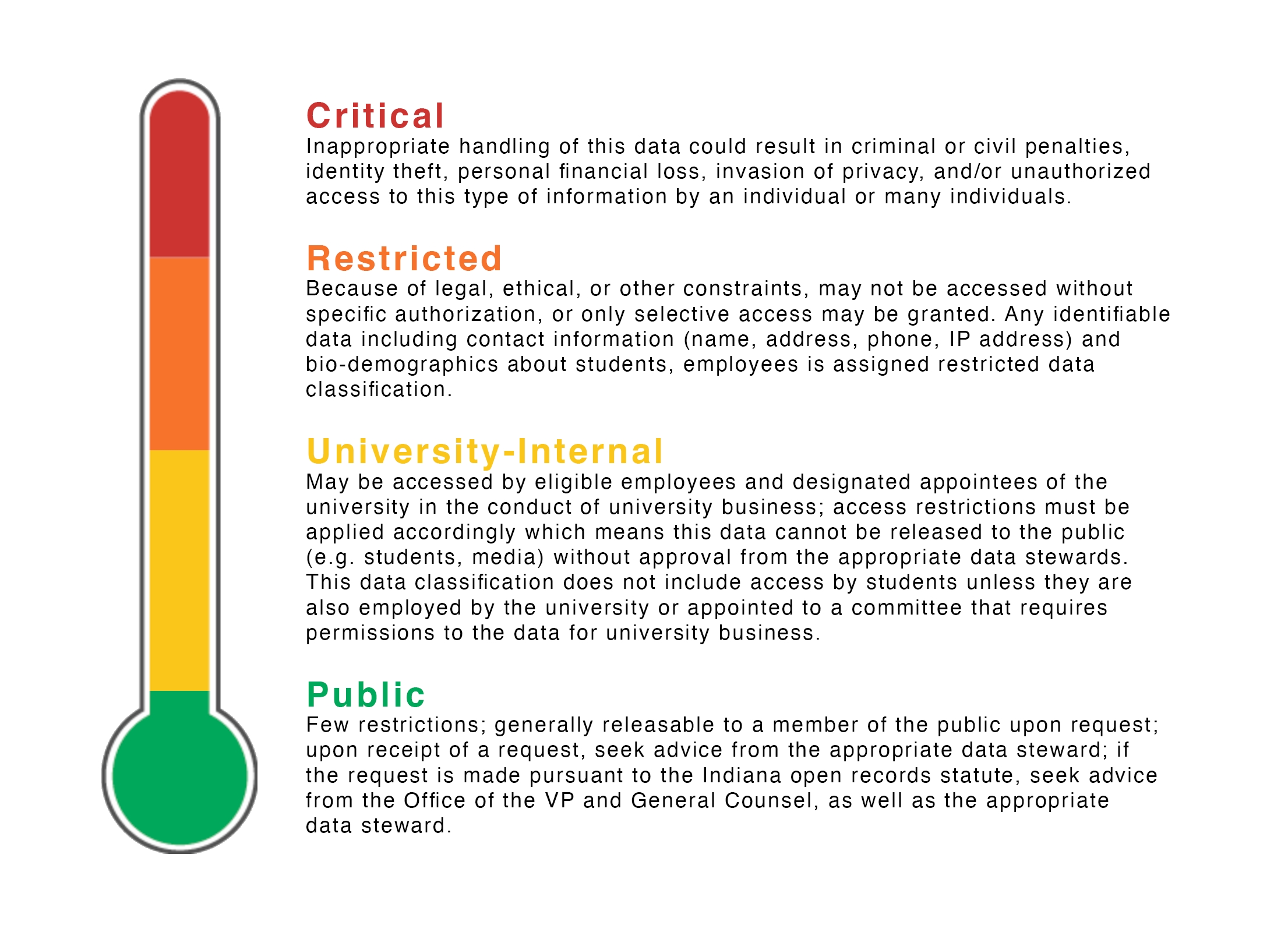
TEDxIndianaUniversity must comply with Indiana University and Indiana University Bloomington data policy. Additionally, we may be required to comply with State and Federal data regulations. At this time, TEDxIndianaUniversity is not obliged to comply with GDPR (European Union General Data Protection Regulation), which applies to larger companies and organisations operating in the EU or the EEA. Additionally, we do not yet qualify as an organisation that must comply with other US State data regulation, such as CCPA (California Consumer Privacy Act). That being said, TEDxIndianaUniversity may use practices and/or tools traditionally used with GDPR or CCPA to comply with University policy, where required.
When in doubt, always consult the Data Sharing and Handling tool to determine what kind of data you're processing or storing. Some data levels will require that you take preventative measures and protect data in Microsoft365.
Some of our data exists within the bounds of University Public Data, which has no special processing requirements. Examples of Public Data include generally available event information and public PII, such as names, emails, and usernames. See more: What is public data?
We also process a good deal of University Internal Data, which should not be published to public sites and should remain on University systems (such as Microsoft365). Internal Data includes non-public PII, such as phone numbers. It also includes physical security concerns, such as internal floor plans. See more: What is University-internal data?
We also process some University Restricted Data. This data in no means should leave University systems, and access controls should be closely monitored to ensure that no additional party — other than those working directly with the information — may access it. This includes student academic transcripts, class schedule, date of birth, gender, pronouns, home address, and more. Please consult What is restricted data? and the Data Sharing and Handling tool to determine if the data you are using is considered Restricted. If you are using, processing, or storing Restricted data, you MUST COMPLY with protective measures in Microsoft365. Additionally, per TEDxIndianaUniversity policy, you must name folders with Restricted data in this convention: TEDxRESTRICTED-{topic/name}such as TEDxRESTRICTED-HighSchoolGPAs
Although unlikely, it is possible that we may process or store University Critical Data, such as passport or visa information, state ID information, or credit card information. Learn more about what is considered Critical Data. Like Restricted data, you MUST COMPLY with protective measures in Microsoft365. If the data isn't something you'd normally give out to a friend, it is likely Critical data; always check the Data Sharing and Handling tool to ensure you understand your obligations. Additionally, per TEDxIndianaUniversity policy, you must name folders with Critical data in this convention: TEDxCRITICAL-{topic/name}such as TEDxCRITICAL-SpeakerVisa. You are also required to monitor and strengthen access controls to permit the minimum number of parties required. If you are finished with the data, delete the information... and then delete it from the trash or recycle permanently. For Critical data, avoid using traditional email or messaging for sharing or collecting the files. Instead, consider using IU Secure Share.
Microsoft Storage at IU is approved for PHI/critical data classifications with a few notable exceptions below.
NOT approved for:
Credit card and Payment Card Industry (PCI) data
Export controlled research data
Controlled Unclassified Information (CUI)
Advancement donor gift agreements and wealth information
3 Minutes: Grab paper, pens, markers, and pencils. No computers in sight.
5-10 Minutes: Answer these questions... and write them on a sheet of paper.
What are our users coming here for? What are their goals? Their needs?
What are we trying to make them do? What are our goals? Our needs?
What are the most important things to have on this site? (Hint: it's usually areas where the above goals aline, both our's and the user's)
3-5 Minutes: Get the nerves out
Remember: these sketches aren't supposed to be good.
Reece does not care about your sketches. They care about your ideas.
These sketches take a few minutes MAX. No one is creating a masterpiece in that time.
8 Minutes: Begin!
Glance back at your questions and answers sheets... remind yourself of the various goals and needs.
Start a timer for 8 minutes
GO! Sketch a site that solves the goals/needs. You only have a few minutes, so be sure to get all your ideas out!

Ensure there's a check mark in the top right.
If there isn't a check, click on the bubble telling you to install yt-dlp, ffmpeg, or both. Follow the on-screen instructions. If you get errors downloading them from this menu, you can always check out how to install them manually (archived version of article).
Paste a URL into the field
Click "Best Av" or whatever button is next to the download button
Select the desired format
Click the download button! Wait a bit, and you'll have your file.
If you prefer to use Terminal, you can download and how to install yt-dlp and ffmpeg manually (archived version of article)
I use macOS, so I installed yt-dlp using the Homebrew package manager. It's also available for package managers on other operating systems (e.g. Chocolatey and apt). You can also use a direct download if you'd prefer to not use a package manager (idk why you would tho).
If you're using this method, I assume you can read the documentation over at Github and have used a command line utility before.
Here's two quick commands to get you started:
Download the best mp4 video available, or the best video if no mp4 available:
Download the best audio file available, regardless of file format:

Eskenazi has a number of fabrication labs available including laser system, CNC, etc.
Training is required to use the space, but they are available to all University-affiliated peeps.
They may or may not let you use the space, depending on their current productions
The Theatre Department has several spaces, including the Scenic Studio. Supervisor of the Scenic Studio is Sean Dumm.
If they won't let you use the space, nearly all their productions just discard their staging. You can contact the Scenic Supervisor or specific production leadership to ask about inheriting scenic items you've seen on stage. Often times, they will just give things to you if you ask.
Karen hates doing them and the members never have all the information necessary to get a reimbursement
Karen was extremely happy that there were limited reimbursements to handle this year, and I suggest you stick to this rule
The ONLY exception to this rule was exec board reimbursements
I was extremely clear that if they did not keep their receipt, have the right documentation, etc. they would not receive a reimbursement
I only did 2/3 of these reimbursements this year
They occurred due to poor planning or the p-card acting weird
Speaker reimbursements take anywhere from 4-6 (sometimes 8) weeks
Speakers can sometimes be rude and frustrating to work with... this is money we're talking about hehe
Just keep both of these things in mind when going through this process
International speakers will require a wire transfer
Make sure you let them know of this via the information packet we send before conference (with all the other reimbursement information)
Each speaker will need to fill out the Speaker Reimbursement Form”
This can be found in → “Speaker Reimbursement Form”
Note: I talked to Karen recently and she said it would be helpful if we convert the completed PDF files into an excel spreadsheet.
I think technically IU needs this filled out PDF, so we can’t just turn it into a Microsoft Form that autogenerates an excel file. You might have to do this manually which sort of sucks
I just sent Karen a zipped folder for each speaker containing their reimbursement form and all their receipts
It made it easier for me to send her all the information, and made it easier for Karen to know what belonged to each speaker
I recommend renaming each file inside of the zipped folder something like “SpeakerName_FoodReceipt” or whatever so that it stays organized
In the email I sent her with the zipped folder, I briefly outlined each speaker’s expenses and whatever additional information they sent me
Give speakers a deadline to work towards (some like to procrastinate!)
I gave them all 2 weeks and said if they didn’t get it to me in time, they just wouldn’t be reimbursed
This seemed to work because I got all the reimbursements by the date I set out for
Main source of money acquisition: applications and funding pitches to various IU boards (e.g., OVPR, IUFB, HHC, RHA)
Secondary source of money acquisition: reaching out to local sponsors/donors/partners & corporate sponsors (e.g.companies)
Support Other Teams (Engagement: tabling, First Thursdays, conference activities, etc., Curation: speaker flights, hotels, etc., etc. etc.)
Maintaining a good relationship with Karen
Working on speaker reimbursements
Acquiring the p-card
Creating & submitting a budget to Luddy every semester
Tracking expenses per team for historical use + to submit to funding boards post-conference
If it's a classroom on campus, you'll likely need to request it via BeInvolved. Check the Student Life website here for the latest directions.
This can require a few weeks in order to ensure the room is booked. Book sooner rather than later!
Some rooms are controlled by the school/building they're in. Some schools prefer that a major/minor of that school put in the request... find someone in TEDx if that's the case!
GISB / Hamilton Lugar: GISB Room Reservation Form
Theatre Department: Availability calendars, Reservation Form
Wells Library:
Media School: ,
Eskenazi:
Thumbnails are quick-and-dirty sketches that help stage designers express their ideas. Using some of the research you collected, put together 3-5 sketches of different stage designs. How can you take some of your ideas and put them on a stage? Think outside the box! Don't worry yourself with technical details.
Here's some resources to get you started:
Now that you've drawn some thumbnail sketches, collaborated with your team, and got feedback... it's time for Making a Model!
They have lots of tables... use them! Note: their table cloths are "maroon" which are literally just brownish. If you want "red" TEDx will need to procure some on our own.
You may consider selling merch at the BCT. Consider two things. (1) Don't pay for a BCT staff member to sell the merch. Put 2-3 TEDx members on it. (2) TEDx is an official unit of IU and cannot use venmo/cash app/paypal to process payments. You must use an IU approved method.
Be sure to reserve parking! It's right behind the BCT and will be needed to load in staging stuff.
Generally, we go for a 6ft. extension on the stage. Work with the BCT in advance if you want to fly (i.e. hang) anything from the stage. "Soft goods" (curtains, drapes, etc.) under 100lbs generally don't need to be counter-balanced and aren't a big deal. Heavier objects deserve a meeting with the venue technical director to see if they're feasible/safe/need stage-hand labour.
Generally, we rent 2 handheld mics and 4 lapel mics. In the past, BCT staff have been sound engineer (i.e. they operate the sound board). If a live performance is occuring (e.g. intermission or one of the speakers), consider if there's instruments or vocalists that will need mics, monitors/speakers, music stands, etc. Get those folks in the conversation early so they can work with the venue on what they need.
Always use laptop audio and laptop out for slides. Be sure to have more laptops than necessary and pre-plan/rehearse how people will work things. Generally, we use PowerPoint for slides.
Since we release video recordings of our TEDx Talks, we use a three-point lighting scheme. Additionally, it would be nice if the TEDx sign was illuminated with low intensity by an additional front light (not just top light).
The cameras at the BCT are eh. But they're way cheaper than other models
[Reece needs to show price comparison here]
Mic harnesses or mic straps for people who might have ill-fit clothes for wireless packs
D'San Speaker Timer (Markeys)
Decimator for confidence monitors (Markeys)
BCT Logitech Long-Distance Clicker (or the better D'San Perfect Cue for $81)
Before, during, and after the conference, people will likely be utilising the venue's additional space! There are a number of things to consider:
Audience members will utilise the spaces differently at different times... what do they need or expect along every step of the way? What do we need to add/change/move/remove during the conference so the physical spaces are ready for when the audience needs them?
Pre-Conference: Mulling about, waiting for doors to open, don't know anything about the talks... maybe just know the theme
Mid-Conference Intermission: Likely rushing to use the restrooms, getting a drink, or stretching their legs
Leaving Conference: Either rushing straight out... or taking some time to talk with friends and family about what they just saw... maybe using the restroom again or buying that merch that caught their eye for the 3rd time... giving a donation because they loved conference?
Different parts of the spaces are better suited for certain experiences. Consider how we can engage people along each step of their experience.
Outside the venue: Guiding lost audience members to the venue, luring in passersby, advertising the event to future patrons
Ticketing counter and coat room: Audience members will likely want to check in at the box office and unload their coats and umbrellas right has they enter the venue
Lobby: After ticketing, you have a chance to create experiences that they interact with... is it to sell them something? engage them with the theme? encourage them to sit down and have a chat with friends or strangers?
Now, consider the signs, booths, furniture, and technology that sit in these spaces
Signage: Show audience members where to go for ticketing, coat room, auditorium, booths/experiences, restrooms, etc.
Tables to sell goods, achieve call-to-action, collect data: What do we need them from them before they leave? social follows? emailing list? purchases? donations?
Engagement Tables/Booths: How can they engage with the theme? How can this conference be memorable?
Comfort: What do members need to do to make the audience feel at home? Welcomed? Feel like they have amazing service where they don't have to worry about anything?
Accessibility: What are we doing for people with limited mobility? In wheelchairs? For people who are mute or partially mute? What about parents with small children? What about someone who (crap, not now!) is having their period?
Recommendations from TED:
BCT Venue Plot for Planning:
Karen is very nice and extremely hardworking... meet with her/president once per month!
She basically never remembered me (once I saw her 3 times in 5 days and each time, she forgot me)
It’s incredibly important that she does know (and remembers) you though. If you have a good/trusting relationship with her, she’ll be more likely to forgive you when something (inevitably) goes wrong, or you want something done last minute
Meet with her once before the semester ends
Next year, try to meet her at least once a month, even invite her to a coffee or something!
(Reece:) Karen is amazing! She's super chatty and just wants to get to know the students she's supporting. She's chill, easy going, and has lots of tea. Definitely drop by her office, even if you don't have anything you need! She loves when students check in to see how she's doing with no pretext.
Karen is always very busy, do your best to give her 1.5-2 weeks in advance for whatever you need
This means your board will need to have everything sorted prior to this. Definitely inform of this constraint early in the year and keep bringing up how important it is that you get any requests early enough to give Karen time
Side note: Tiana is someone I’ve never interacted with, but is extremely crucial to this TEDx, Luddy, Karen dynamic
Tiana is Karen’s boss (and is a girl boss in general -Reece)
She is a great connection to have for all things Luddy/Funding/TEDx related
If for some reason you ever need money from Luddy, ask Karen to introduce you to Tiana
I spoke to Karen recently and she said she prefers to be contacted from your personal IU email so that she can match the name with the request
Try to cc the TED email on every email you send her so that there is more transparency for everyone
Luddy is not the easiest to work with
They consistently change their rules and make it difficult to get things done quickly (think a lot of red tape). This is both because the school is growing and bc IU keeps changing their policy
Just really try to plan ahead and give yourself 2 weeks to accomplish any task with them
Luddy Makerspace
All of the money we receive goes to a general Luddy account
Generally, whoever deposits the money is supposed to select the correct sub-account so that Karen knows it’s our money
Sometimes they forget to do this *cough RHA cough*
Whenever you expect a deposit, let Karen know who to expect it from, why we’re receiving it, and the quantity to expect
Click "Create" next to "Expenses"
Enter details; make sure "Report Type" is "Out-of-Pocket Reimbursement"
Find the correct commodity for what you're getting reimbursed for
Fill out all the fields except for "Project Code" and "Organization Reference Id." Note the account should be {ACCOUNT NUMBER} TEDX BL-INAD SICE SOA and you should upload the receipt in the "Attachment" section
Make sure to CC [email protected]. As a reminder, this email is for your final speaker that you have chosen and one whom the board has approved!
Subject Line: TEDxIndianaUniversity Speaking Invitation for [Name]
[Speaker],
I am thrilled to formally invite you to give a TEDx Talk at TEDxIndianaUniversity's 2024-2025 Conference, Tipping Point! Everyone here at TEDxIU is ecstatic about the prospect of you joining us, and we cannot wait to welcome you to Bloomington.
If you would like to accept, the first step in crafting your talk is signing the Speaker Content Development Agreement attached to this email. Please send a signed copy back to me before (Date). Within the next few weeks, you will also be receiving a Speaker Information Packet, which will include details about TEDxIU, the theme, the speaker reimbursement process, and a tentative timeline for the conference.
Lastly, I would love to connect on either a video or phone call to start planning your talk. I’m available on [Availability]. If those times don’t work, I'm happy to find a mutually convenient time.
Looking forward to hearing from you!
Best,
[Your Name]
yt-dlp "video_url_here" -f "bv*[ext=mp4]+ba[ext=m4a]/b[ext=mp4] / bv*+ba/b" yt-dlp "video_url_here" --extract-audio --audio-quality 0BCT ATEM Switcher
BCT Cameras, connected to ATEM
BCT Ethernet connection (for stable video delivery)
BCT Large Projector (not small), screen flown stage left
Tiana (and Karen) love TEDx because we increase the social aspect of Luddy, more than likely she’ll be able to help in some way
If you/Technical Production ever get anything made here, you can bill directly to the TEDx account (because we’re in Luddy, Makerspace is in Luddy, you get it)
Wells Library Plotter Printer
Only takes CrimsonCash
Will have to load P-card money onto someone’s card o Get Karen’s express permission before doing this, or just email her and have her do it
To do this, you just need the person’s Student ID and IU username o Note: there is a $2.50 processing fee you can’t get around
Each semester Luddy asks for a budget
Since TEDx runs on a yearly system, I just put together a budget for the full year and sent it to them each semester (emphasizing that the budget was for the year)
That way she can verify we receive it and move it into the correct sub-account if they misplace it
All of our account information can be found in Teams → Finance → Files → Funding → “General Useful Info”
TEDxIndianaUniversity
Luddy School of Information, Computation, and Engineering
Indiana University, Bloomington


Quick-and-dirty podcast-sound enhacer: https://podcast.adobe.com/enhance
Mic check for podcasts: https://podcast.adobe.com/miccheck
Adobe Audition DAW for Desktop: https://uits.iu.edu/adobe/
Adobe Web-Based Studio DAW: https://podcast.adobe.com/studio
If you're thinking about colours and fonts, walk to the other end of the room and come back. Those thoughts aren't welcome here.
If you're spending time making things "look good," you aren't spending time sketching new ideas.
Spend a few minutes aimlessly drawing something that has no meaning
Start a timer for 3-5 minutes
Take a sheet of paper and a marker and scribble around.
Can you cover the paper with ink without intersecting any of the lines?
How many loop-de-loops can you make? Rubber ducks? Concentric smiley faces? IDK.
Don't think about it. Just do it.
When the timer is up, stop. No more sketching. It's okay if things are messy.
Repeat this 8 minute sketching process several times. Create distinct ideas each time. Try to get at least 3 distinct ideas... more if possible.
What happens if I prioritise one goal/need over another?
What if I thought about this on mobile instead of desktop? Vice versa?
Can't get any more ideas out? Step away and come back later with a fresh perspective.
TVs or other technology: Do you want people outside the venue or on a mid-conference restroom break to be able to see/hear the talks?
Overall flow: Can people easily move through the space?
Teams are no longer required to include the tagline "x=independently organized TED event" in event logos. You’ll use your TEDx logo throughout every part of your event: on your website(s), social media, and all event communications, materials and signs. The TEDx logo is different from the TED logo, as it contains the “x” at the end as well as the unique location-based name of your event.
Never use the TED or TEDx logos! Only TEDxIndianaUniversity may be used.
Your TEDx logo must appear on your website, all outbound communications with speakers, attendees and sponsors, and all PR and marketing materials.
The updated logo guidelines are mandatory for new series first licensed on or after January 1, 2023. However, TEDx organizers with event series first licensed before 2023 have the option to maintain their previous logo or use the updated guidelines.
Font: The typeface Helvetica is an integral part of our visual identity, and it comes pre-installed on most computers. If you do not have access to Helvetica, you can use Inter Light, which is a nearly identical open-source font. If you have a different version of Helvetica (Helvetica Neue, for example), use the Regular weight of your version.
Tracking: Letter-spacing in the TEDx logo templates is set to 0. Do not adjust this setting.
Kerning: You can kern individual letters in your location name, if needed.
Alignment: The name of your event should always align left in relation to the "TEDx" part of the logo, and should be sized to be exactly the same height as the "TEDx" part of the logo. Tracking in the TEDx logo templates is set to 0. Do not adjust this setting.
Color: your TEDx event's logo should always include a red "TEDx" and either black or white text for the other words. TED Red is HEX Color #EB0028.
Only use a solid white or black background.
To ensure that your TEDx event logo is presented in the best possible manner, a minimum buffer zone of clear space should always be maintained around its perimeter. Keep other logos, graphics or copy out of this zone. (Logos may not be "locked up" with any other logos or images. Other logos cannot appear as if they are a part of your TEDx event logo.)
Do not set the place name in all caps and keep it the same size as "TEDx."
Do not change the color of TEDx or the “x” in TEDx. Do not write the place name in colors other than black or white.
Do not place your TEDx event's logo on colors other than black or white or on photographic, patterned or illustrated backgrounds.
Only use 2 or more lines when necessary.
Do not create your TEDx event's logo in a typeface other than Helvetica or Inter Light.
In my opinion, 3 is too many. I think 1 is best, but depending on your vision for the role, 2 could work. Any more than that is beyond my ability to imagine – however, if you have a vision that requires 3 people, I say jump on that!
I only held a group team meeting once
I did meet with Ananya and Saniya more individually so it’s not like we never spoke though
For some important meetings I had, I left brief meeting notes. They can be found in Teams → Finance → Files → Team Meetings
I’m not sure these will be helpful at all, but in case you want them!
I quickly realized that there isn't very much group work to do, and I didn’t want to waste anyone’s time by having them meet together
In hindsight, it only isolated my already isolated members, but I can’t really change that now
I think the change to have Ops and Finance meet together will really bring the finance members into the greater TED community
I think this will also help Ops a lot because they’ll realize how far in advance they need to have expenses planned
This will ideally lighten your workload, motivate early planning, and ensure a good relationship with Karen
If you can, test this idea. Hopefully it will work, if not, I’m sure you’ll find another solution
I had Ananya work on the funding pitches and write the RHA application
RHA is all about connecting to freshman and those living in dorms
Seeing as I haven’t lived in a dorm in 2 years + I hated living in the dorm freshman year, I figured Ananya would be best at writing this
The answers I submitted are in Teams → Finance → Files → Funding → RHA → FINAL – Play or Pause → “RHA - Submitted Responses”
There was an excel file I had to attach to that application as well, it’s the only spreadsheet in that same “FINAL - Play or Pause” folder
I also wanted to take her to funding pitches so that if she did become director, she’d be well-equipped in the future
Not to mention, she’s a Kelley kid, so this is really just good practice
I had Saniya work on finding local businesses to contact
She put together a spreadsheet of local businesses that I’ve left for you in Teams → Finance → Files → Business Outreach → “List of Businesses”
She also wrote a document explaining what we would provide the businesses and what we were asking for in return. That doc is in the same folder as the above spreadsheet but named “Business-Outreach”
Saniya and I also brainstormed the gift baskets together
I’m not actually sure whose job this is supposed to be
I say, figure this out before you decide to take it on for sure
Saniya did it for Curation 2 years ago, so her expertise was incredibly helpful (let’s be real, she did all the heavy lifting here)
I worked on the IUFB application (as I’m the only one who has access to it) and submitted all the other funding applications through the TED email
The full IUFB applications (both for the conference and Amanda’s TEDxWomen Conference) are in Teams → Finance → Files → Funding → IUFB → Ending in “Funding Request”
Note: you will also be able to see this in BeInvolved (where I submitted them). In fact, you can see every application ever submitted to IUFB there in case you want to reference them.
The HHC application I submitted is in Teams → Finance → Files → Funding → Hutton Honors → FINAL – Play or Pause Teams → Starting with “TEDxIndianaUniversity”
I also handled anything that had to do with the P-Card or interacting with Karen
Reservation for Protolab 1 Room/Equipment
Makerspace Training
Large Wood Cutting Request
Buskirk-Chumley Tech Specs
BCT stage dimensions and more
Proscenium Thumbnail Template
Use this for "traditional" proscenium theatre layouts
Thrust Thumbnail Template
Use this for thrust theatre layouts
We have several Microsoft Teams, Microsoft SharePoint, IU ACM (Access Control Management), and Microsoft Loop groups. Here's what you should have access to:
Teams
✅
✅
✅
*Some Production members and automated system accounts may have access for data management, data compliance, and other IT-related reasons
**This service grants access to other services but general members should not have edit access
***Available only after specific training is completed
Unless you want to change our tiering system, I think the body of the message can stay, but you’ll have to make a design change + change the # of speakers, date of conference, etc. I have left Saniya’s original word document in the same folder but named “Bloomington Business Partnership with TEDxIU”
I sent all the partnership emails through the TED email but then cc’ed myself and Saniya to all of them. I had Saniya draft the email to send to the local businesses. This is in the same folder but named “Email to Businesses”
In the end, she helped me design all aspects of the gift bag, she assembled them, and I wrote all the cards (from the club and from the executive board)
Note: I had all the curators write a card to their speaker separately
Gift Basket Contents this Year: Engraved acrylic plaque, handwritten card from exec, handwritten card from curator, handwritten card on behalf of full club (I wanted everyone to sign this one, but it didn’t work out), B-town Box gift box, IU/Bloomington mug, TEDx Keychain
I wanted to do something more conference themed like a conference tote bag or conference mug, but we ended up running out of time hence the generic mug
Note: I know the file name is ridiculously long, but it’s their requested naming convention
I also documented the email chain between me and them in case that’s helpful for you “HHC Funding Email Chain”
Loop
✅
✅
✅
iCal Feed
✅
✅
✅
ACM, 1Password
🟡**
✅
✅
SharePoint, Forms
❌
🟡*
✅
ACM, 1Password
❌
🟡*
✅
Loop
❌
🟡*
✅
Outlook
❌
❌
✅
SharePoint
❌
❌
✅
Salesforce
🟡***
🟡***
🟡***


First week of october- theme decided, interpretation figured out+# of speakers
I enjoyed working with IUFB this year!
They gave us $20,000 in total this year! Woohoo!!
Everyone kept telling me how easy IUFB related things were but no one actually told me what to do, so here’s my guide for you
1. Application
2. They review application
3. They arrange funding pitch time
IUFB holds these little “Get to know us” events throughout the year. Somehow, I ended up attending 3 of these
They were EXTREMELY helpful
They literally walked you through how to fill out an application, answered my 948,593 questions, and taught me little tips/tricks to get more money out of them (10/10 recommend by the way)
They have specific rules about how much can be requested for what types of items, so it’s good to go to the events just to learn this information
IUFB also have bylaws that are also helpful
They outline everything that can/cannot be requested o I don’t suggest reading through the whole thing or anything, but if you ever have a question, check the bylaws before emailing them
IUFB is student run
All your funding pitches will be to students
It really takes the pressure off
They’re usually very casual and chill which is nice
Funding Pitches
They schedule you a 10 minute slot
In my experience it usually only takes 7 minutes
They are always behind schedule though, so block off 30 minutes for sure
As this is done through BeInvolved, the Director of Finance is the only person who is able to see and submit an application
Historically (my understanding is at least 3-5 years), they gave us $10,000 in exchange for using a speaker of their choosing
Normally how that happened was that you emailed Jane and Bethan (they works under the OVPR department), she would set up a Zoom call, you would make a pitch (take the President and Director of Curation to this meeting), and then she would email you with approval/rejection
Jane Drake’s Email:
They gave us $5,000 in the 2023-2024 year!
Their application is crazy long and asks for very specific information
They care about what we will do for Hutton Honors College kids
This is how someone at IUFB explained how to get money from them
We received $2,000 from them during the 2023-2024 year (this is the max they give out!)
There is no funding pitch/presentation for them, just an application
They have a schedule that they put on their website, try to submit the application 1.5-2 weeks before the meeting date you want them to look at your application
Interestingly, of all the funding boards, RHA was the fastest to look at what I sent and get back to me with a response
Preparing to be a TEDx curator can be tough. It's not just good networking skills, time commitment, and great organizational skills that go into it. At the core, you have to really understand what makes a good TED talk, a good TED talk.
Anyone can give a talk, but not anyone can give a great TED talk.
Before we start the process of outreach, we need to make sure you understand what makes a TED talk different. To do this, you'll have to:
Karen hates it when people she doesn’t know comes to get the p-card
This is another reason why I said to become friends with her
Remember, we are tax-exempt; it is such a nightmare to undo it when people pay taxes using the P-card
Sometimes you have to harass people into taking the tax-exempt code, but it is necessary that you do this Requesting the Card
Luddy is changed up how to get the p-card this year
This system sucks and is inefficient, so I don’t know if they’ll keep it next year, but I’ll document it for you all the same
Start by filling out the excel sheet which can be found in Teams → Finance → Files → Purchase Requests → “Bill of Materials Template”
I suggest just duplicating this file every time you want to use it
Fill out whatever information it wants (I have plenty of examples in this same folder for you to reference)
Fill out the qualtrics form that is linked to the original, blank, template file
You’re done! If you don’t hear back from Karen in 1.5 weeks, then you can email to follow up with her. However, we were told to wait that long first.
I’m sure you can see how this is not efficient or speedy, so like all other things TED-finance related, plan ahead!
Note: In the past, you would just email Karen when you wanted it and she’d tell you whether or not you could have it
This approach still works, but only reserve it for emergency type things because this is not preferred
It’s natural to think that you can purchase things from Amazon using the p-card
This is partially true and partially not true
If you need to buy something from Amazon, I suggest putting together a large list and making the purchase all at once
Follow the steps to request the p-card as you normally would (excel spreadsheet + form), but provide the link to every project in the spreadsheet
Then when you go to submit the form, in the comments section AND “when you’ll come to get the p-card" section, state something like “Please order these items from Amazon”
Like any other time you request the p-card, submit all this information well in advance Informal (but good) Rules
In my personal opinion, the only person who should ever pick up the p-card are you (Director of Finance), Director of Operations, and President
That's what we did this year and it worked brilliantly
Inevitably the Director of Operations will spend a lot of time with Karen, so it’s important Karen knows them as well
Purva was Director of Operations 2 years ago so she should already have a good relationship with Karen, and Amanda, Reece, and Karen already knew each other from other Luddy stuff
Do NOT ever hand the p-card to anybody that is not Exec or the operations team
It is IMPERATIVE, that receipts are kept, and the money is handled well
The 1, singular time, I let someone not the people mentioned above have the card, they did not save the receipt (even though I explicitly said it multiple times and wrote it on instructions for them) and I got in trouble for it
4. You do the funding pitch
5. They adjust ALL your funding numbers (can take up to 4 weeks)
6. They approve/reject you
7. You submit all your receipts when you’re done
They take forever to respond to emails though (because they’re student run, obviously)
No slide deck or anything
They literally just pull up your application on the screen behind them
You stand in front of the screen
There can be anywhere from 7 to 15 of them in the room
They’re not intimidating, but the number is just so you know how many handouts to bring
Bring handouts!!
The first thing you’ll do when you go in is just hand them a nice stack
Because you don’t know how many will be there, I suggest printing 15
Keep one for yourself though, because no doubt you’ll be pointing to sections to explain things to them
They like to hold and read things (it’s probably a preparedness bias thing)
Examples of the handouts I’ve taken are in Teams → Finance → Files → Funding → IUFB → Ending in “Funding Handout”
I just made them in Canva, nothing too crazy
The email I sent them this year is in Teams → Finance → Files → Funding → OVPR → “OVPR Partnership – Email"
Any (and all) emails relating to finance this year will be in the TED email in a folder on the left bar under “2023-2024” → “Finance Stuff”
At some point I’ll make a document outlining the email chain between me and OVPR this year vs what it looked like in the past – it just won’t be ready when I hand this doc to you[VM1]
In case it’s relevant to you next year, here are more details about how this partnership ran (I consulted Saniya before writing this, so hopefully I remember what she said correctly and it’s accurate!)
If OVPR says yes, usually they’re invested in the theme
You generally email or meet with them once more with the Director of Curation
Curation explains the theme and the type of speaker they’re looking for
OVPR comes back with 3-4 IU professors that Curation will pick 1 from (unless they hate all the choices and tell OVPR to try again)
Either someone on curation volunteers to work with this professor, or the director will sort of just assign someone to this person
In case anyone chooses to read this in the future, we didn’t get funding from OVPR during the 2023-2024, but hopefully they’ll partner again with us in the future
ISA (Indian Student Association) has events like Diwali and Holi. At these events they have food. They give Hutton Honors students (who get their tickets from the HHC building) different colored wristbands. The people with these special wristbands get their food before anyone else. Because this prioritises honors students, HHC is more likely to fund it
The application I submitted this year can be found in Teams → Finance → Files → Funding → Hutton Honors → FINAL – Play or Pause → Starting with “TEDxIndianaUniversity”
The email chain between the TEDx email and HHCFB can be found in the same folder but is labeled “HHC Funding Email Chain”
Normally you have to pitch to them at one of their meetings, I somehow escaped this because I submitted it the week they have their Thanksgiving break
Saniya is allegedly super close with the Dean of HHC so maybe you can lean into this if you ever do have to pitch to them!
HHC is extremely stringent about the budget you submit to them
They will verify all of your numbers
If you’re every debating between a range of numbers, submit the lower end of the range to them
Make sure you list every line item as broken down as possible
Instead of saying “marketing expenses” break it down into “flyer expense, social media expense, etc.”
As part of this application, I had to submit confirmation by “IU Events Management”
IU Events Management basically ensures that events for IU students off-campus (held by on-campus organizations) are safe and have proper evacuation plans
To find where to submit this form go to One.IU → Search “Event Management” → Click the “Events & Conference Requests” Tile (it should say “Fire Form” underneath)
Filling out this form will require a safety plan from BCT (or the theater you’re using)
I’ll leave the document the BCT gave us this year in Teams o Once you’ve been approved, copy-paste the confirmation email you get from IU Events Management into the appropriate field in the HHC application
They must have done it all within 2 weeks which is astounding for an IU organization
See the “Work Distribution” section in the “Team Considerations” page for further information


If you did all these, I trust that you understand what a TED talk is and that you'll be able to guide your selected speaker to give an amazing TED talk! (No pressure though 😆)

To record live audio or use live audio from mics and mixers as an input on your computer, you'll need to use a Digital Interface (or "DI"). This converts the analogue signal from the mixer ("physical" sound waves from two 1/4" TRS or XLR cables) to digital signal used by the computer (1s and 0s over a USB or Thunderbolt cable).
Here's a quick, simplified example set up. They have a smaller mixer than we do, but it follows the same set-up.